Instagram keeps adding tools, and most people use only three or four of them. This guide covers the Instagram features that matter in 2026, grouped by what you want to do, with who can use each one and where to find it.
One thing first: Instagram has just launched a long-form video format that is literally called “Features”. Search for “Instagram new features” and you’ll see both meanings mixed together. This guide covers both, and the new format has its own section below.
Menu names and locations change with app updates. If a path below doesn’t match your app, search the Settings screen for the feature’s name.
Create: Features for Posting Content
Reels
Reels are short vertical videos, and they’re Instagram’s main way to reach people who don’t follow you yet. You can add audio, text, effects, and templates inside the app.
Try this: Start with the result in the first line, like “I rewrote my bio and got more profile visits.” People decide in seconds whether to keep watching.
Stories
Stories last 24 hours and mostly reach people who already follow you, which makes them good for trust. Polls, question boxes, and quizzes turn viewers into people who reply. Save your best ones to Highlights so new visitors can find them.
Photo posts and carousels
A carousel lets you post several slides in one post. It suits tips, recipes, and tutorials, because people save them to come back to later.
Example: A fitness coach can post “5 mistakes in your first week at the gym” as five slides, with a final slide saying what to do next.
Live
Live suits Q&As, launches, and chats with a guest. You get real-time comments, which show you quickly what your audience cares about.
Notes
Notes are short text updates that appear at the top of the messages inbox, and they disappear after a day. They’re a low-effort way to stay visible between posts, like a quick thought, a question, or a link to your latest Reel.
The New Long-Form “Features” Format
“Features” is a horizontal long-form video format that Instagram announced on October 26, 2026. It’s aimed at podcasters, comedians, and other creators who make longer shows. Videos can run up to 90 minutes.
The idea is that Features and Reels work together. According to reports on the announcement, creators can post the full video along with up to eight Reels that link to it. A podcaster could post a three-minute clip as a Reel, and viewers who want more tap through to the full episode.
Don’t expect to post one yet. Instagram has been testing with select creators, first in Brazil and now in a small group in the US, and says it plans to widen the test to more creators and markets. No revenue share for creators has been announced. The Instagram app for TV, which is rolling out in the US, is expected to be a major place to watch this kind of content.
What to do now: Build a steady Reels habit first, since Reels are the way into longer videos. Check Instagram’s announcements again before you plan around Features, because this is changing quickly.
Connect: Features for Talking to People
Direct messages and group chats
DMs are where many conversations continue after a post. Use group chats for small communities, and use message controls to decide who can reach you.
Close Friends
Close Friends lets you share with a private list instead of all your followers. It’s useful for personal updates, and creators use it for testing ideas on a small group before posting publicly.
Collab posts
With a Collab post, you invite another account to co-author a post or Reel, and it appears on both profiles. Both audiences see it, so pick partners with a similar but not identical audience.
Broadcast channels
A broadcast channel is a one-to-many space for updates, polls, and behind-the-scenes posts. It works best when you already have followers who ask for more.
Add Yours and interactive stickers
The Add Yours sticker lets people join a trend with their own Story. Starting one with a clear prompt, like “Show your desk setup”, can spread beyond your followers.
Grow: Features for Creators and Businesses
Professional account and Insights
Switching to a professional account unlocks Insights, which shows reach, profile visits, follower growth, and when your followers are online. Check it weekly. If you want a full growth plan, read our guide on how to get more Instagram followers.
Editing and scheduling
Instagram has been building more editing tools for Reels, and professional accounts can schedule posts. Features and names change often, so check what your version offers before buying a separate tool.
Discover: Search, Explore, and Saved Posts
Instagram search now works much like a search engine, so the words in your name, bio, captions, and alt text matter. “Easy 3-ingredient cake for beginners” will find more people than “Sunday vibes”.
Use Save to collect posts into collections, such as “recipes”, “travel ideas”, or “Reel hooks”. Collections are a private swipe file you can study when you need ideas. Learn what the platform rewards in our Instagram algorithm tips.
Protect: Privacy and Safety Features
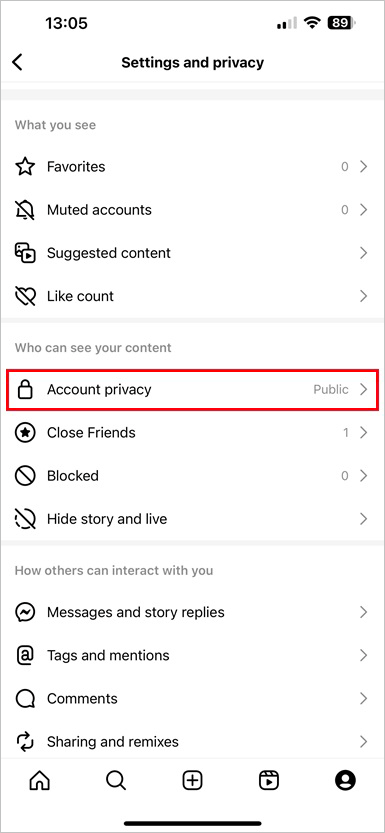
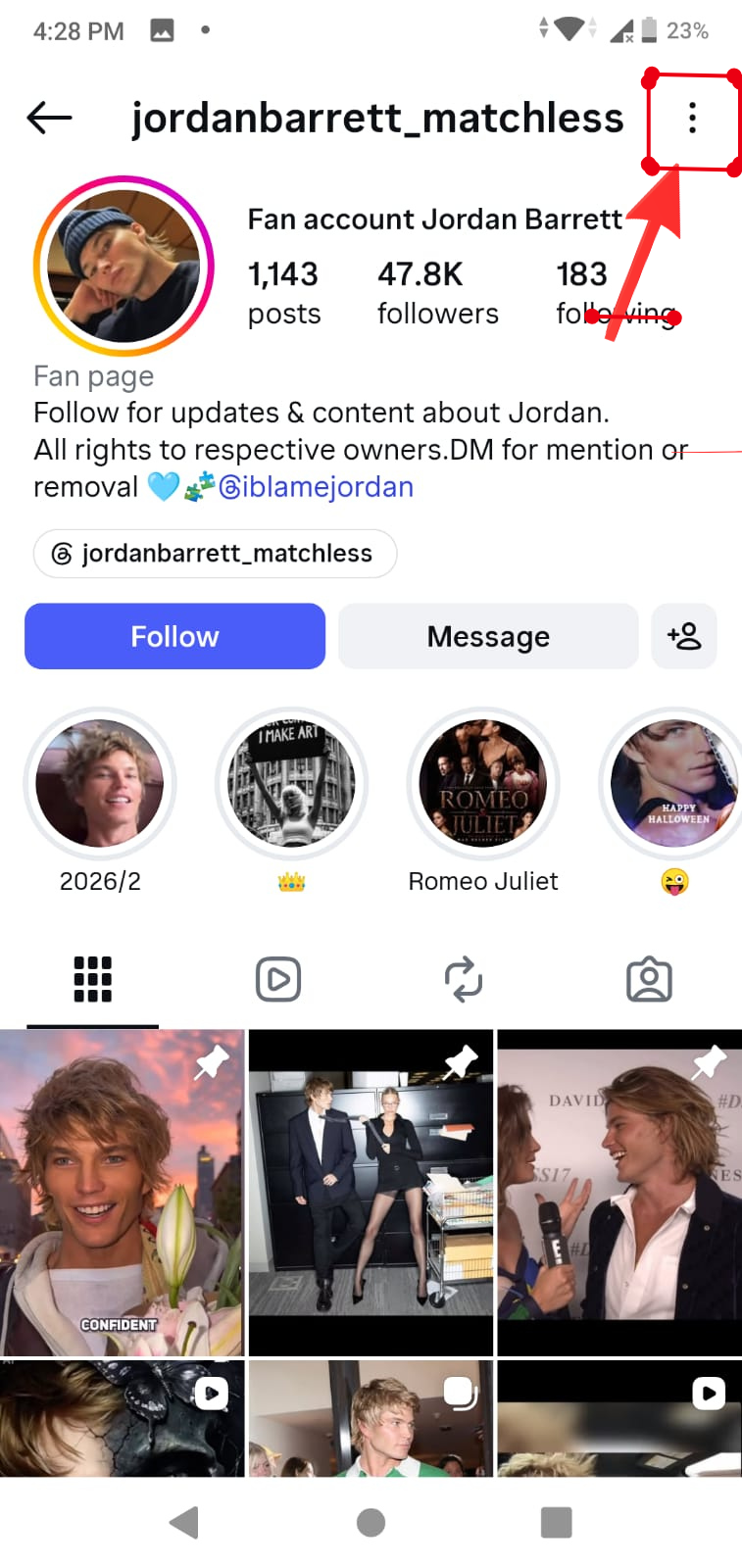
These settings take ten minutes and matter more than most growth tips. Open your profile menu, then Settings and privacy (the name can vary slightly by app version).
Control who sees you
Under “Who can see your content” you’ll find Account privacy, Close Friends, Blocked, and Hide story and live. Choose between a public and a private account, use Close Friends for sensitive updates, and block or restrict people who bother you. Restricting is quieter than blocking, because the other person isn’t told.
Control who contacts you
Under “How others can interact with you”, check Messages and story replies, Tags and mentions, Comments, and Sharing and remixes. If a post is attracting unwanted attention, use the limit options to restrict comments and messages from newer or non-following accounts.
Filter comments
Turn on Hidden Words to filter offensive comments and message requests. You can also add your own words to the list.
Manage your time
Use Your Activity to see how much time you spend on Instagram and set a daily limit. Quiet mode is useful during study or work.
Parents: Instagram’s Teen Accounts add default protections for younger users. See Instagram’s Help Center for the current options.
Save and Share: What You Can and Can’t Do
You can already save posts to collections and share them to Stories or chats. Everything starts with the row of icons under a post. Check what your app offers first, since in-app options keep growing.

Sometimes you need more, like keeping a backup of your own Reels or reusing your own video on another platform. A downloader helps there. Our Reels downloader, Story downloader, photo downloader, video downloader, and audio downloader cover public content.
The rules: Only download content you own or have permission to use, and always credit the creator. Private accounts can’t be accessed by any tool. Don’t repost someone else’s work as your own.
Hidden Instagram Features Worth Trying
Pin comments
Pin a helpful comment to the top of your post, like a link or an answer to a common question.
Archive
Archive hides a post without deleting it. Use it for posts that no longer fit your niche. Your old Stories also stay saved there.
Highlights as a “start here” guide
Create highlights named “Start here”, “Results”, and “FAQ”. New visitors get your story in under a minute.
Your Activity
See your past comments, likes, and time spent in one place. It’s useful for cleaning up old activity.
Which Format Should You Use?
Not sure where to post? Use this table.
| Format | Best for | Shape and length | Who can use it |
|---|---|---|---|
| Reels | Reaching new people | Short, vertical | Everyone |
| Stories | Daily updates, trust | Short, vertical, 24 hours | Everyone |
| Carousels | Tips, tutorials, saves | Multiple slides | Everyone |
| Live | Q&As, launches | Real time | Everyone |
| Notes | Staying visible between posts | Short text, 24 hours | Everyone |
| “Features” | Podcasts, shows, long videos | Horizontal, up to 90 minutes | Select test creators only |
The Best Instagram Features for Your Stage
An editorial starting guide, not measured data.
New users: Set your privacy first, then try Stories and collections. Fresh creators: Fix your profile, post Reels weekly, and read your Insights. Top creators: Use Collabs and channels, and watch the “Features” rollout. General users: Close Friends, message controls, and Notes cover most needs.
Frequently Asked Questions
What are the newest Instagram features in 2026?
The biggest is the long-form “Features” format, announced on October 26, 2026 and currently in testing with select creators. It supports horizontal videos up to 90 minutes.
What is the new Instagram “Features” tab?
It’s a section for long-form widescreen video, aimed at podcasters, comedians, and show creators. It’s designed to work alongside Reels.
Can anyone post long videos on Instagram now?
Not through Features yet. Access is limited to select test creators, though Instagram plans to widen the test.
What’s the difference between Reels and Stories?
Reels are meant to reach new people and can be found through Explore. Stories last 24 hours and mostly serve your existing followers.
How do I turn on Close Friends?
Open your profile menu, find Close Friends, and add people to your list. Then pick Close Friends when you share.
Is it safe to download Instagram videos?
It’s safe when you use a trusted tool that doesn’t ask for your password, and when you only save content you own or have permission to use.
Why don’t I see a feature that others have?
Instagram rolls features out in stages by country, account type, and app version. Update the app and check again in a few days.
Conclusion
You don’t need every feature. Pick two this week: one that protects your account and one that helps people find you. Then come back to the rest when you’re ready. For the next step, read how to get verified on Instagram.